Checking People In and Out at the Door
This is the screen your staff use at drop-off and pickup. It works on a phone, a tablet or a desktop.
For turning attendance on, see Check-In and Check-Out. For setting up who is allowed to collect each camper, see Approved Pickup People and Pickup PINs.
Getting into check-in mode
When a check-in window is open, staff with attendance access see a green bar across the top of Regpack.

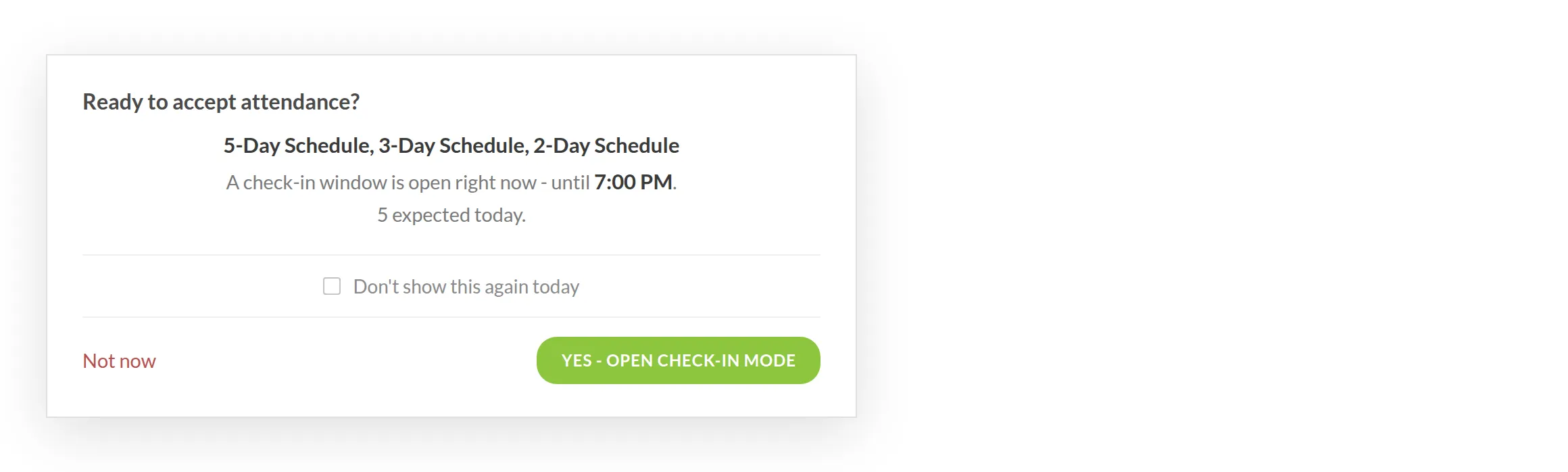
Staff who log in while a window is open also get a short reminder: which sessions are running, when the window closes, and how many people are expected.
Check-in mode
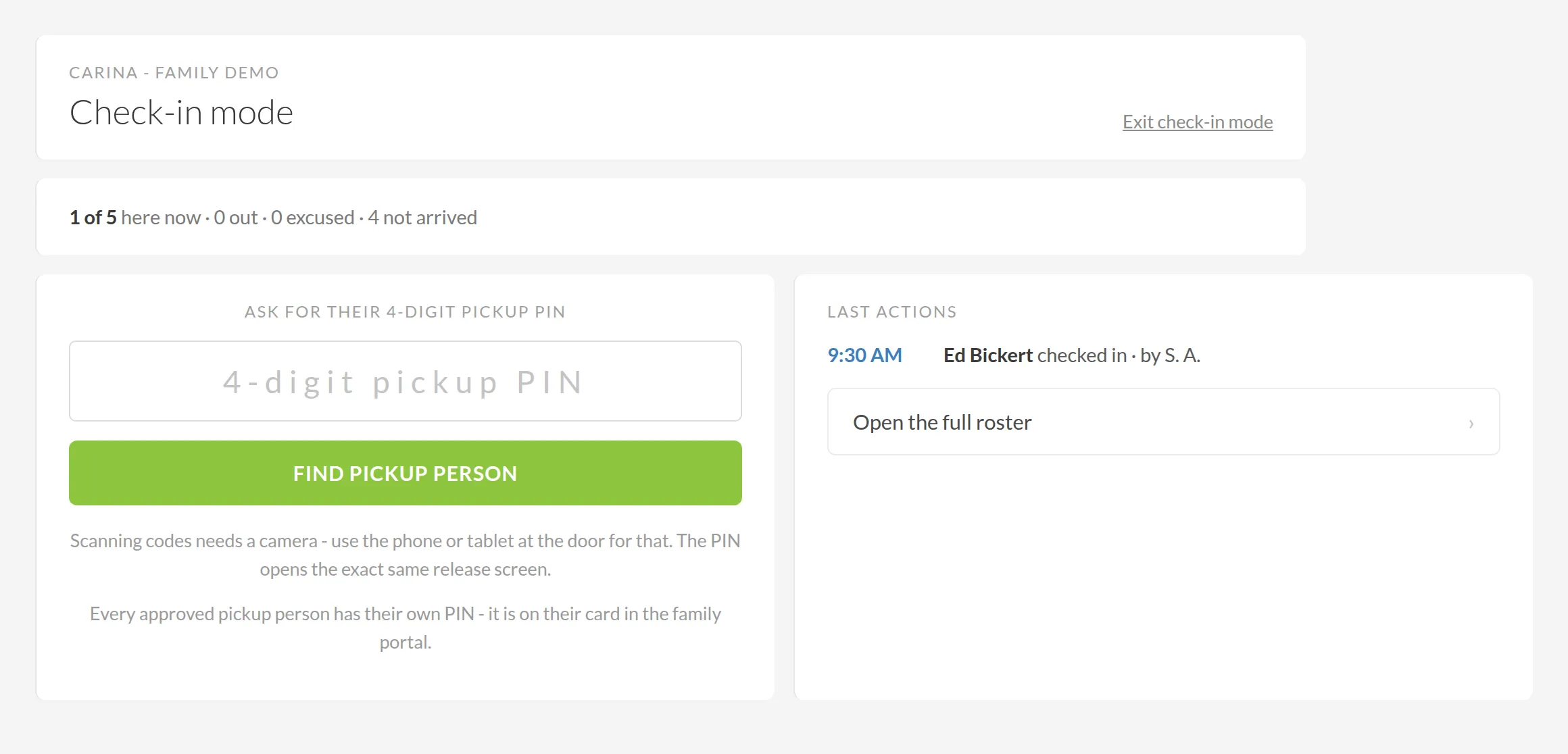
Check-in mode shows the following:
- A running count of the day so far - how many are here now, out, excused, and not yet arrived.
- A 4-digit pickup PIN field, always visible, with FIND PICKUP PERSON underneath it.
- Last actions - a feed of what just happened, each entry showing the time, who it was, and which staff member did it.
Open the full roster goes to the day view if you need to work down a list rather than take people as they arrive.
Every approved pickup person has their own PIN.
Who's allowed today
Once a code or PIN is entered, the screen shows only the people approved to collect that camper today - not everyone who has ever been added.
If nobody appears, you'll see one of three messages, because each one means something different:
- Nobody is expected today
- This family hasn't set up any approved pickup people yet
- This specific person isn't approved for today
Confirming by face, not by code
Each approved person appears as a card with their photo, their relationship and their phone number. Staff tap the card to confirm - matching the person in front of them to their photo, rather than trusting a code alone.
When someone isn't on the list
If someone who isn't approved arrives, the screen names them directly - for example, "Jordan Lee is not authorized to pick up today and therefore not shown" - with a link to expand and, if appropriate, tap Authorize for today. That adds them to today's approved list on the spot, in front of the family.
From the roster rather than the door screen, Other - someone not on this list asks who took the camper and who approved it, and requires a photo that stays with the record.
When nobody who can help is around
If none of the approved people are present, tap None of the above. This opens a screen with the account holder's name, phone number and email, along with where that contact information came from, so your staff always know exactly who to call.
Kiosk mode
If you keep a tablet at your check-in desk, Kiosk mode keeps it on the scanner. When a valid code is scanned, staff see a two-second confirmation of who was released, to whom, and at what time, then the screen returns to scanning so the line keeps moving.
A phone's regular camera app can also scan a code. The built-in scanner is an extra option, not a replacement.
What the family sees
If check-in and pickup emails are on, the family is emailed at both ends, and the pickup message names who the camper was released to. You can see exactly what was sent on the camper's card, under the Attendance tab, in the NOTIFICATIONS SENT panel.