Approved Pickup People and Pickup PINs
Attendance answers who was here. The pickup list answers who was allowed to take them home. This article covers setting that up. For turning attendance on, see Check-In and Check-Out; for what staff do at the door, see Checking People In and Out at the Door.
How it fits together
Three things work together:
- The list — the people a family has authorized to collect their campers.
- The PIN — a 4-digit code belonging to each person on that list. It's the proof staff ask for at pickup.
- Your rules — two project settings decide how strictly that proof is enforced.
The list lives on the parent form, not the camper form. One family keeps one list, and it covers every camper in that family.
Step 1 — Add the widget to your form
Go to Settings → Forms and open either a form on the parent level or a form on the child level. From the WIDGETS list in the builder, add Approved Pickup People.
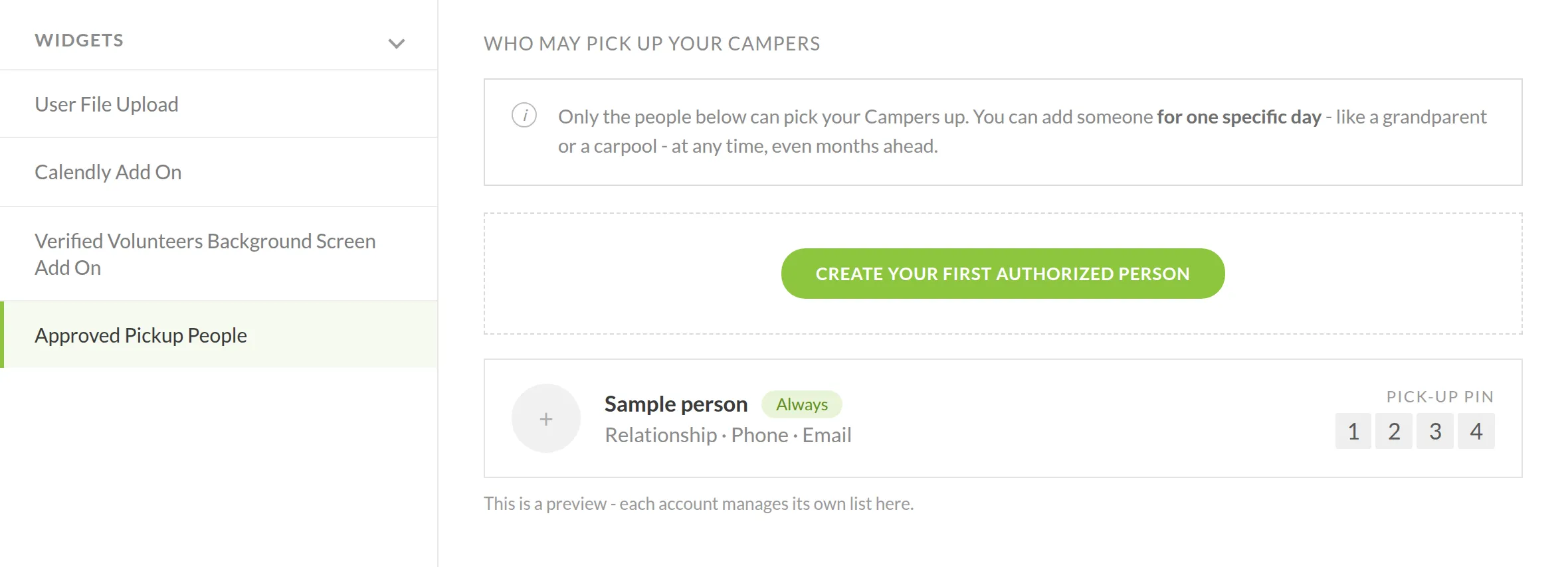
Once added, the form shows a WHO MAY PICK UP YOUR CAMPERS section, with a CREATE YOUR FIRST AUTHORIZED PERSON button and a preview of what each entry will look like.
It is recommended to add the widget to a child level form for maximum control over who can pickup each child.
Step 2 — What each family ends up with
Each person a family adds becomes a card holding their relationship, phone and email, a QR code for checkin, as well as a backup PICK-UP PIN — the 4-digit code generated for that person.
Every person is either:
- Always — a standing approval, for a parent or regular guardian.
- One specific day — a single-date approval, which is how grandparents and carpools are handled. Families can add these at any time, including months ahead.
Each account manages its own list, so what you configure once on the form becomes every family's own list.
Step 3 — Set how strictly the PIN is enforced
Two settings in Project Settings → ATTENDANCE, under Records and Compliance, govern what happens at pickup:
Setting | Default | Effect |
|---|---|---|
Let staff check out on their approval alone | Off | Off means staff must enter the collecting person's 4-digit PIN. On means the PIN is not asked for, and every such release is permanently marked as approved by that staff member alone. |
Photograph anyone not on the pickup list | On | When someone who isn't approved collects a camper, the phone asks for a photo or ID first and keeps it with the record. |
Leaving both at their defaults is the stricter configuration, and the one we recommend.
Step 4 — How it plays out at check-out
When staff tap Check out on the roster, Regpack asks who is collecting, and lists only the people approved for today — not everyone the family has ever added.
If the family hasn't built a list yet, the screen says so plainly rather than showing an empty box:
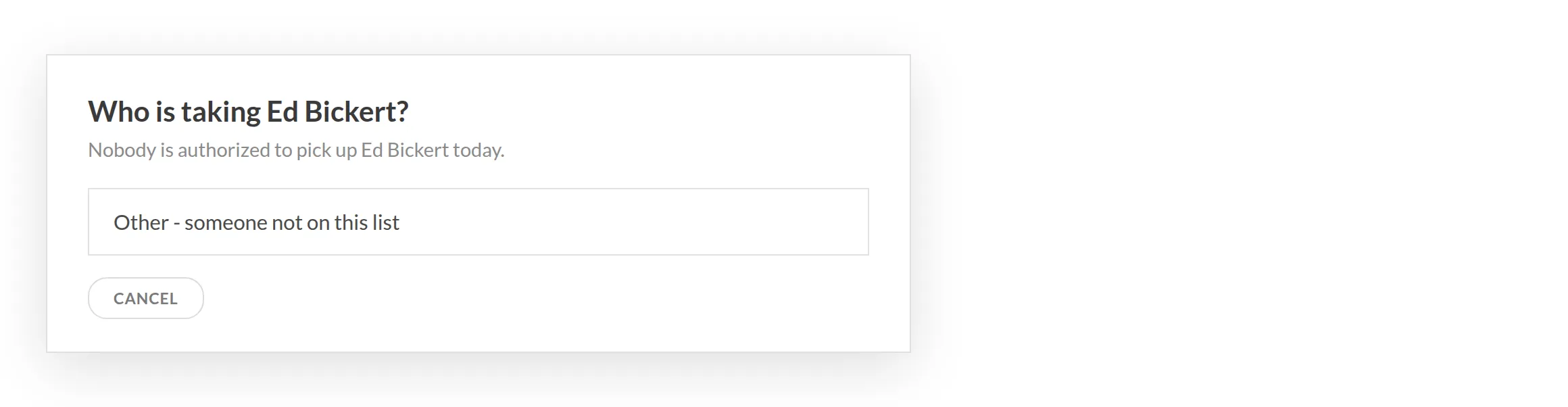
Choosing Other - someone not on this list requires two things before the release is recorded: an explanation of who took the camper and who approved it, and a photo of that person which stays with the record.
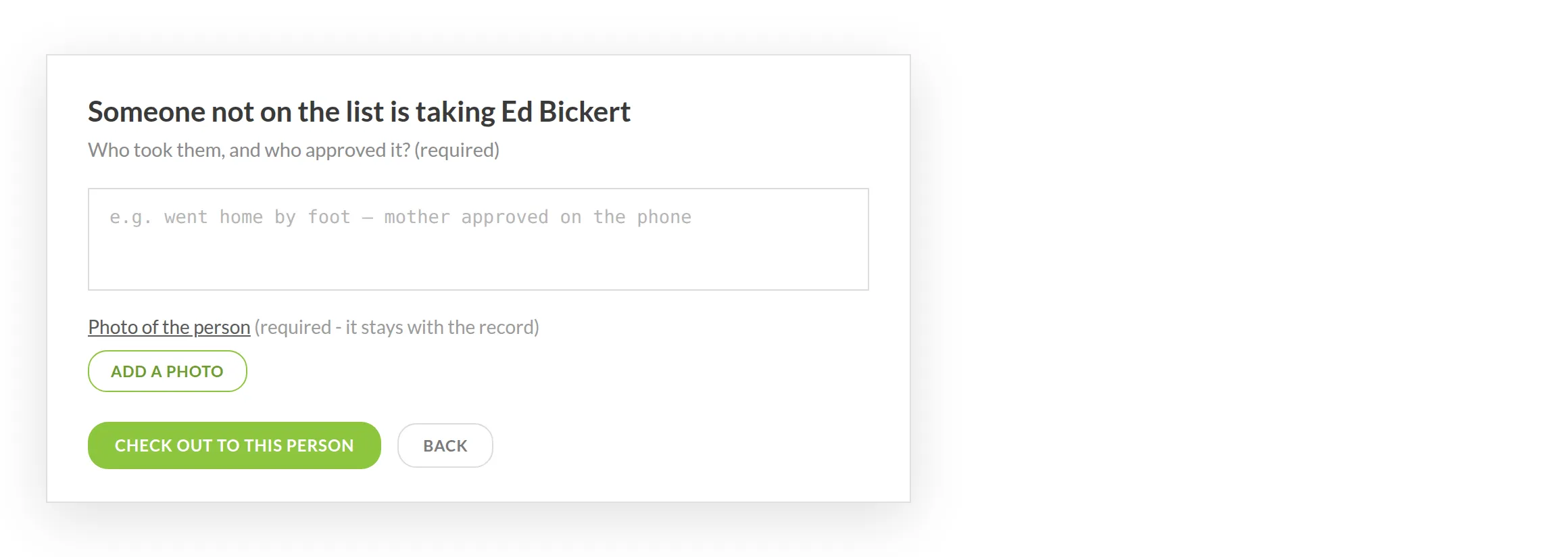
Those releases are permanently marked as exceptions, which is what makes them findable later in the ATTENDANCE JOURNAL and the NEEDS ATTENTION queue.
Common questions
Do I build the list, or does the family? Either. You add the widget once, and each family then manages its own list — but an admin can add or edit entries on a family's behalf too, which is how you take a pickup person over the phone.
Does the list need repeating for each child? No. It's held at the family level and applies to every camper in that family.
Can someone be approved for just one day? Yes — that's the one specific day option, and it can be set well in advance.
What if nobody on the list turns up? Staff use Other - someone not on this list, which requires a written reason and a photo, and records the release as an exception.
Where do I see what happened afterwards? On the camper's card under the Attendance tab, and across the project in Attendance → Attendance Reporting. See Check-In and Check-Out.