Your Numbers
Understanding the Insights Your Numbers Tab
The Your Numbers tab is where you go for the raw metrics behind your registration season: sales, payments, sign-ups, and activity, along with trends over time. This guide walks through the key panels and what they measure.
Filtering by Time Period
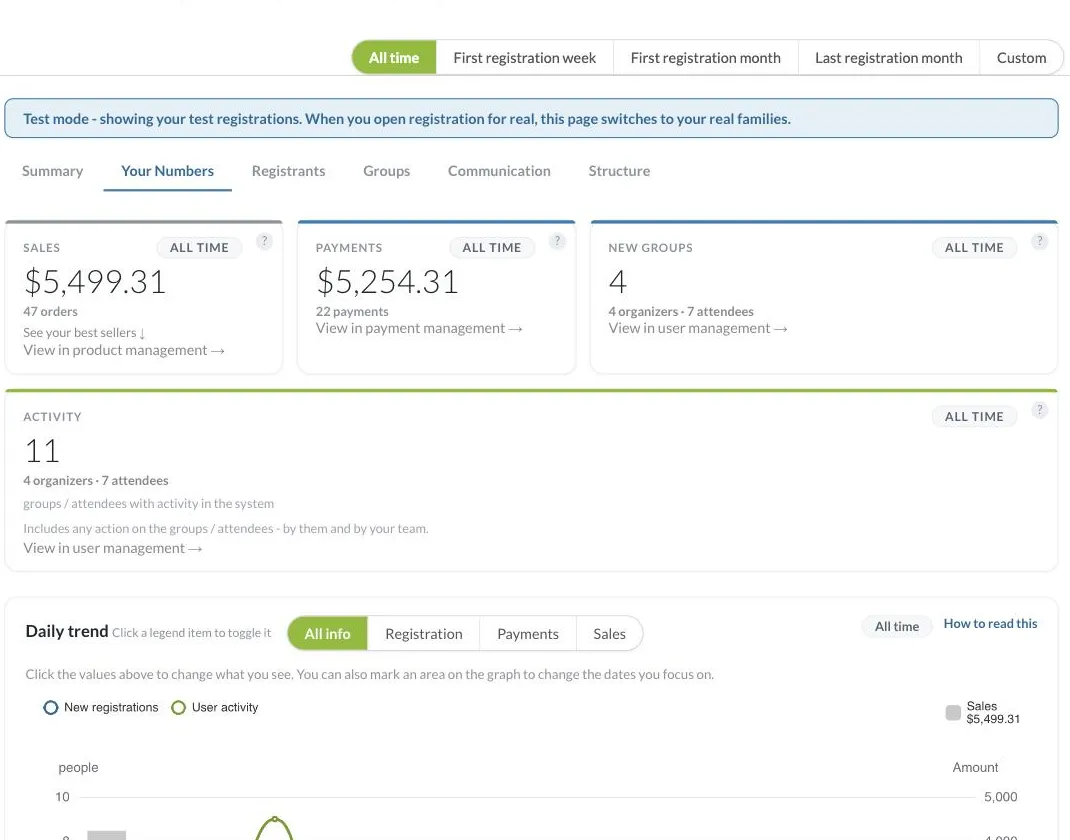
Every tab in Insights, including this one, shares the same date range selector at the top of the page: All time, First registration week, First registration month, Last registration month, and Custom. Switching this selector changes the data shown across the whole tab, so you can compare a specific week or month against your all-time numbers, or set a custom range with exact start and end dates. Insights also shows you when the data was last calculated, with a Recalculate link if you want to refresh it on demand.
Key Performance Indicator Cards
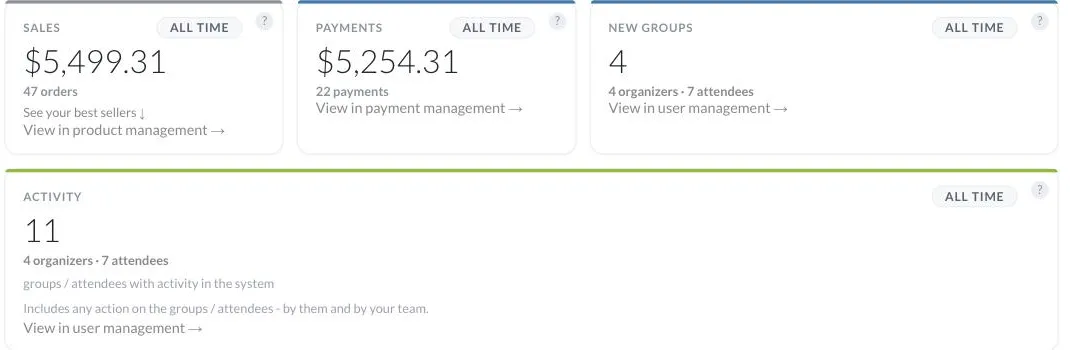
Four cards summarize your project at a glance: Sales (total order value and order count), Payments (amount collected and payment count), New Groups (organizers and attendees registered), and Activity (groups/attendees with any recent action, by them or your team). Each card has a time-period toggle and a link that jumps directly to the relevant management screen (product, payment, or user management) for more detail.
Daily Trend Graph
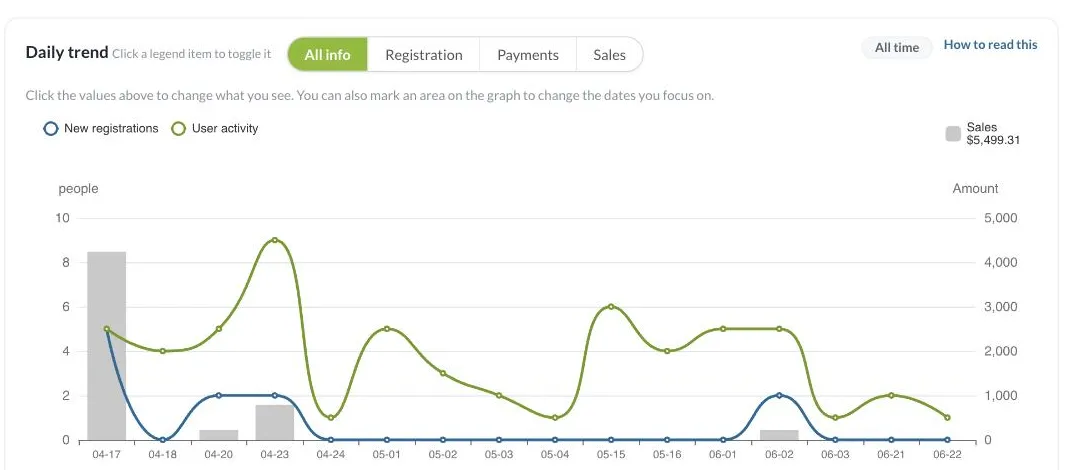
This chart plots registration, payments, and sales activity over time. Use the All info / Registration / Payments / Sales toggle to change what's plotted, click a legend item to show or hide it, and drag a selection directly on the graph to focus on a specific date range.
Speed of Registration
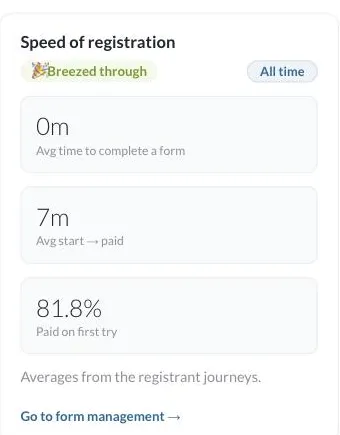
This panel shows how quickly people move through your registration flow: average time to complete a form, average time from start to paid, and the percentage who paid on their first try. Click Go to form management to review your forms directly.
What's Working
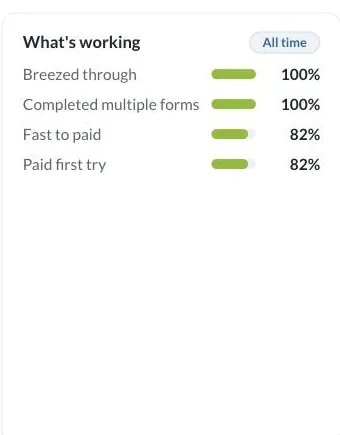
A quick breakdown of completion rates across key journey milestones (breezed through, completed multiple forms, fast to paid, paid first try), so you can see which parts of your funnel are performing well.
Best Sellers
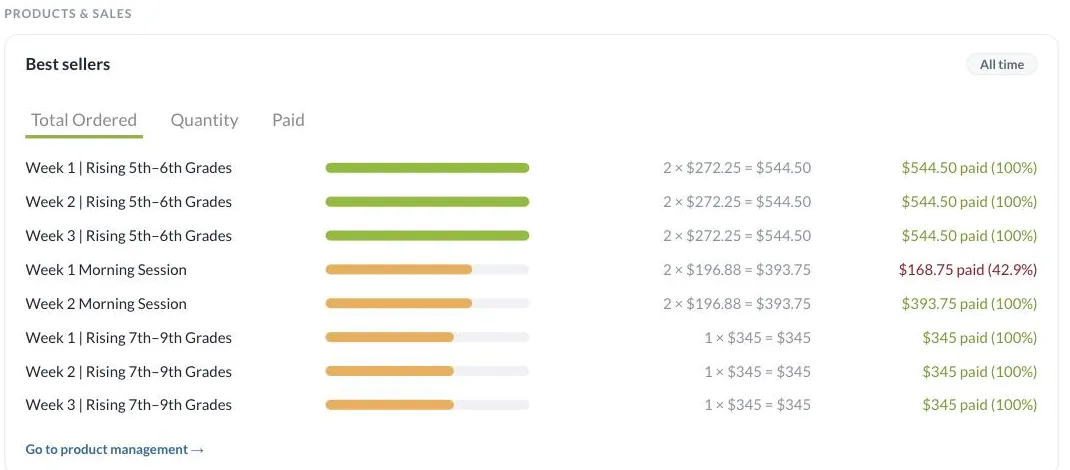
A ranked list of your top products by quantity ordered and revenue, along with the percentage of that revenue already paid. Click Go to product management to manage products directly.
If you have questions about your numbers, contact our support team at [email protected].