Project Settings | Embedding Tab
4 min
Embedding in Your Website
Go to Settings → Project****Settings → Embedding → Copy the Embed Code → Paste into your web editor
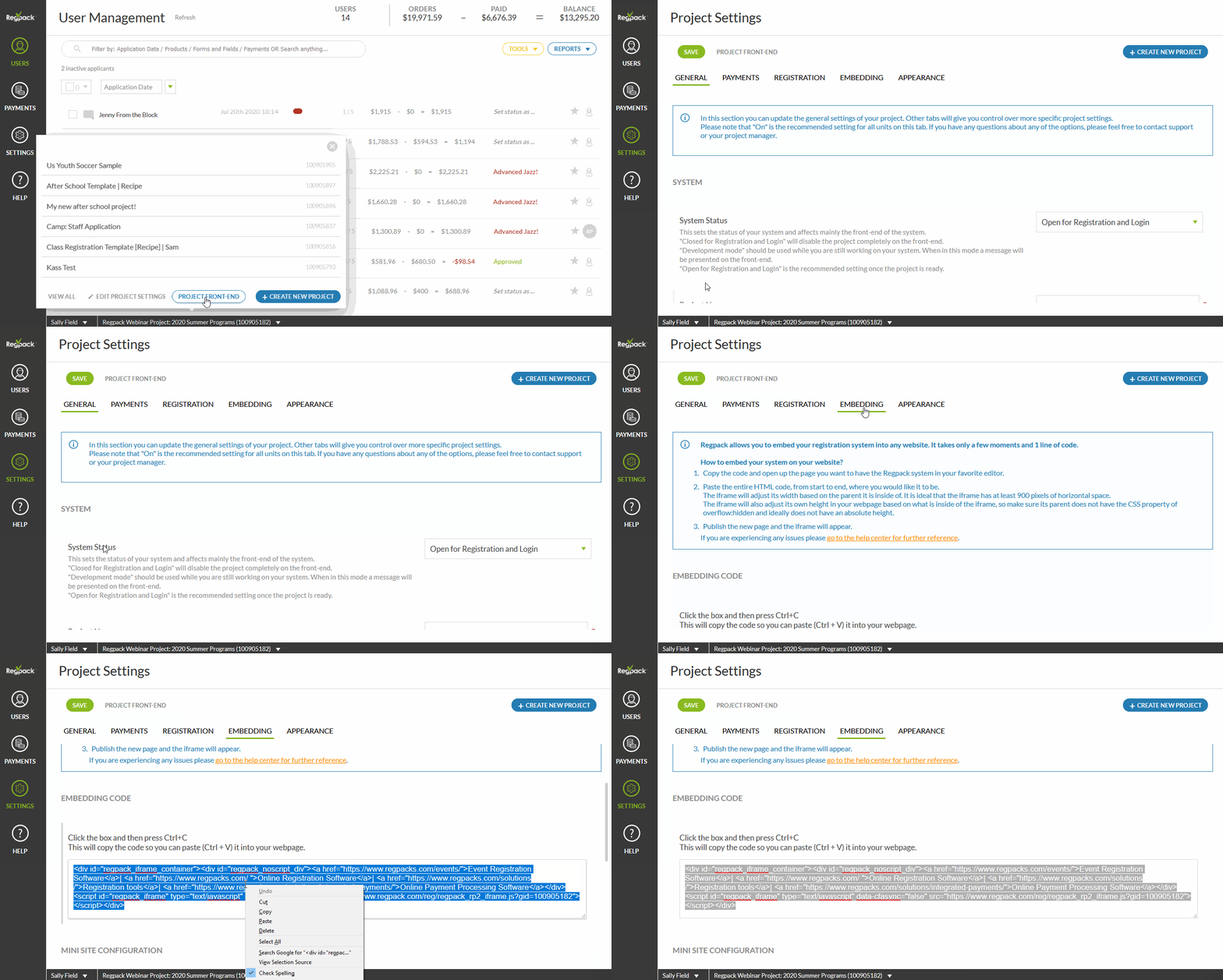
Template Site
Each project has it's own template site, which can also be added to your website on it's own or through a "register here" button. This link is available in three places
- Settings → Project****Settings → Project Front End
- Settings → Project Settings → Embedding tab in orange
- Click on the name of the project at the bottom of the back end → Project Front End
Customize the Template Site By Adding a Company Logo
Click Choose File, then upload and save.
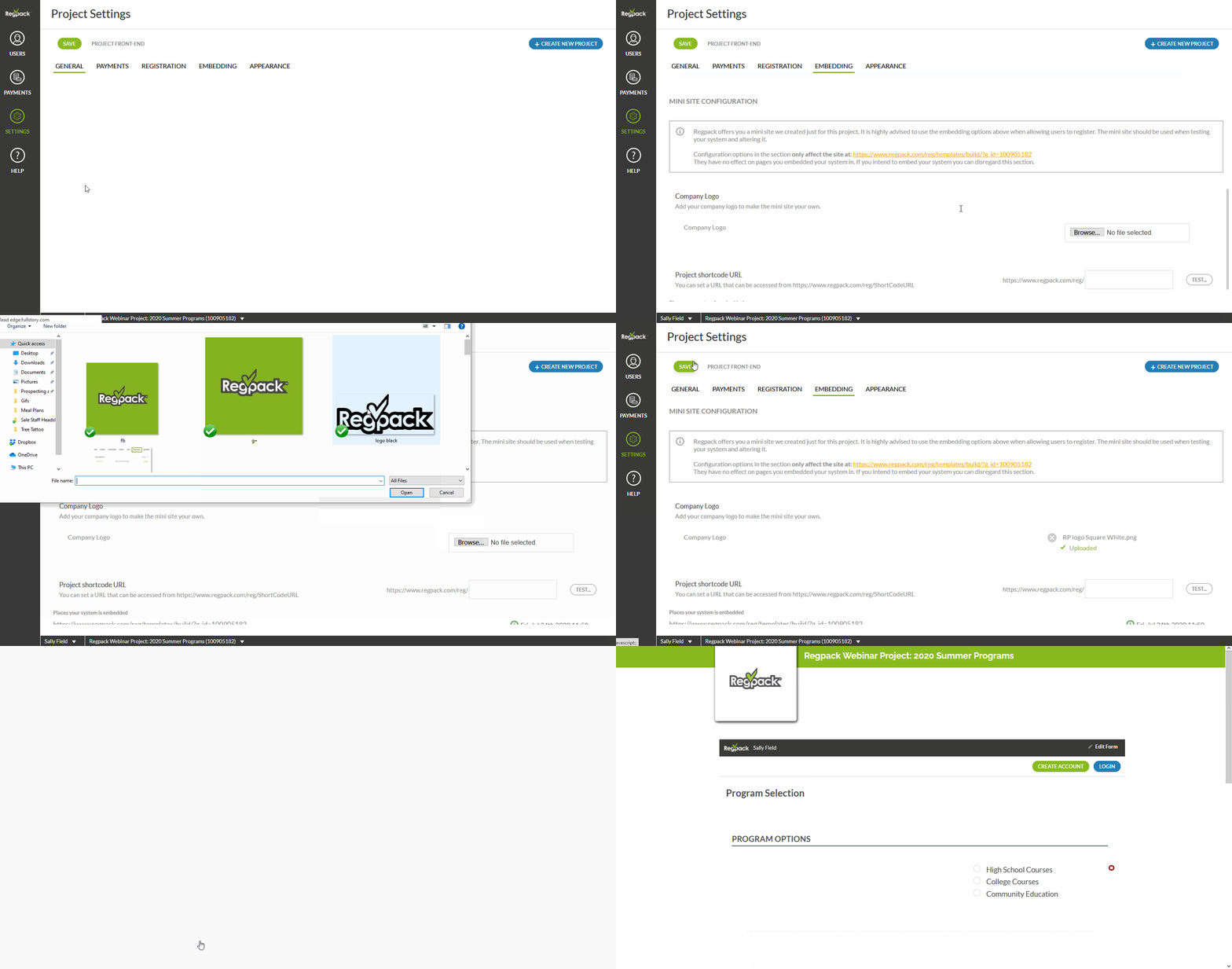
Company Logo
Add your company logo by clicking on Choose File → Upload your file → Save.
Customize the template site link
Add text to the shortcode URL field & save before hitting Test.