Payment Communication and Financial Contact
1 min
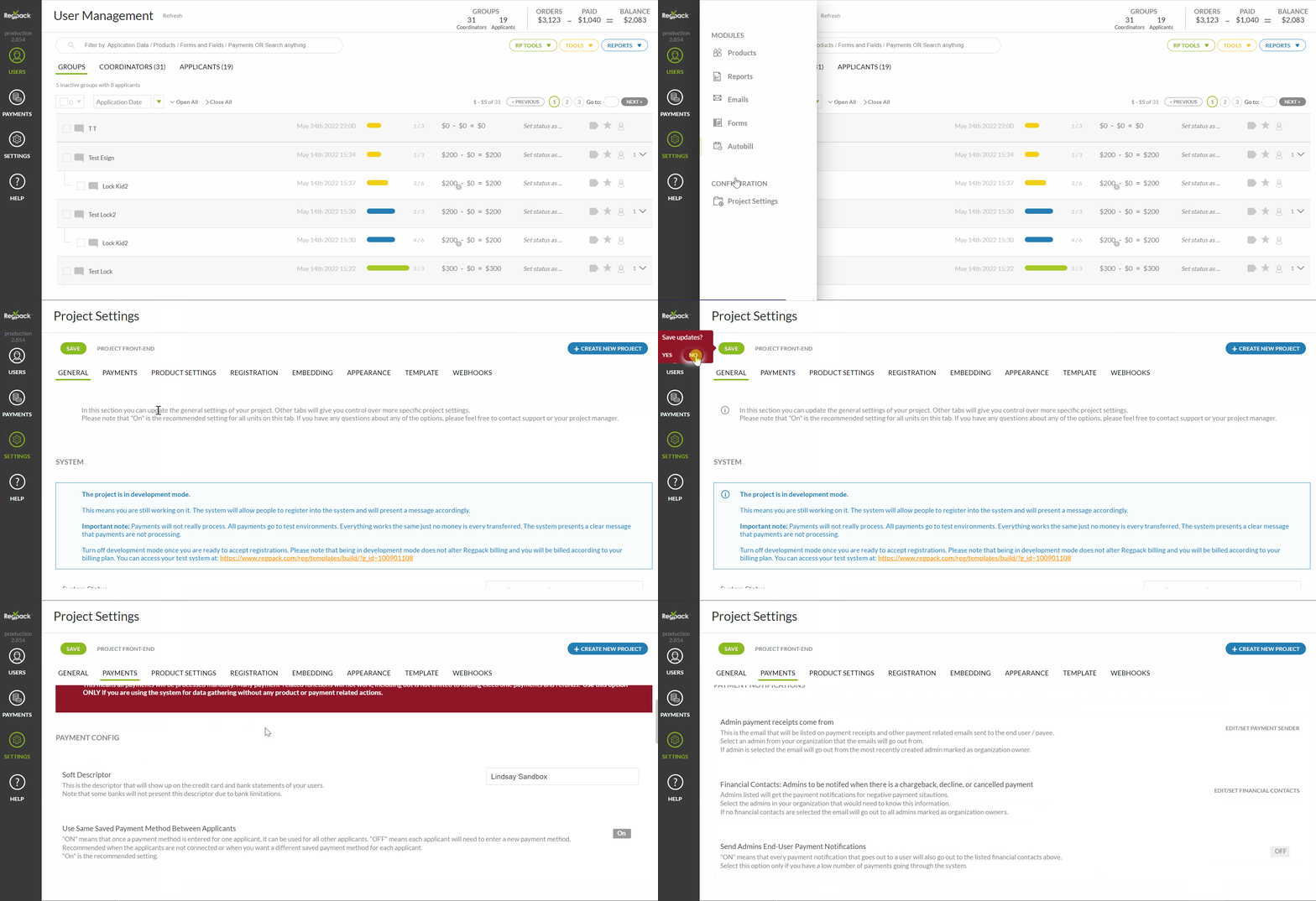
Go to Settings → Project Settings → Payments
The payments tab allows account owners to view and edit payment information and financial contact information.
- Admin payment receipts come from - This is the email that will be listed on payment receipts and other payment related emails sent to the end user / payee. If no admin is selected the email will go out from the most recently created admin marked as organization owner.
- Financial Contacts - Admins to be notifed when there is a chargeback, decline, or cancelled payment. Admins listed will get the payment notifications for negative payment sitautions.If no financial contacts are selected the email will go out to all admins marked as organization owners.
- Send Admins End-User Payment Notifications - "ON" means that every payment notification that goes out to a user will also go out to the listed financial contacts above. Select this option only if you have a low number of payments going through the system.