How to Run Sales Reports for Your Products
1 min
Sales reports include product order and financial information
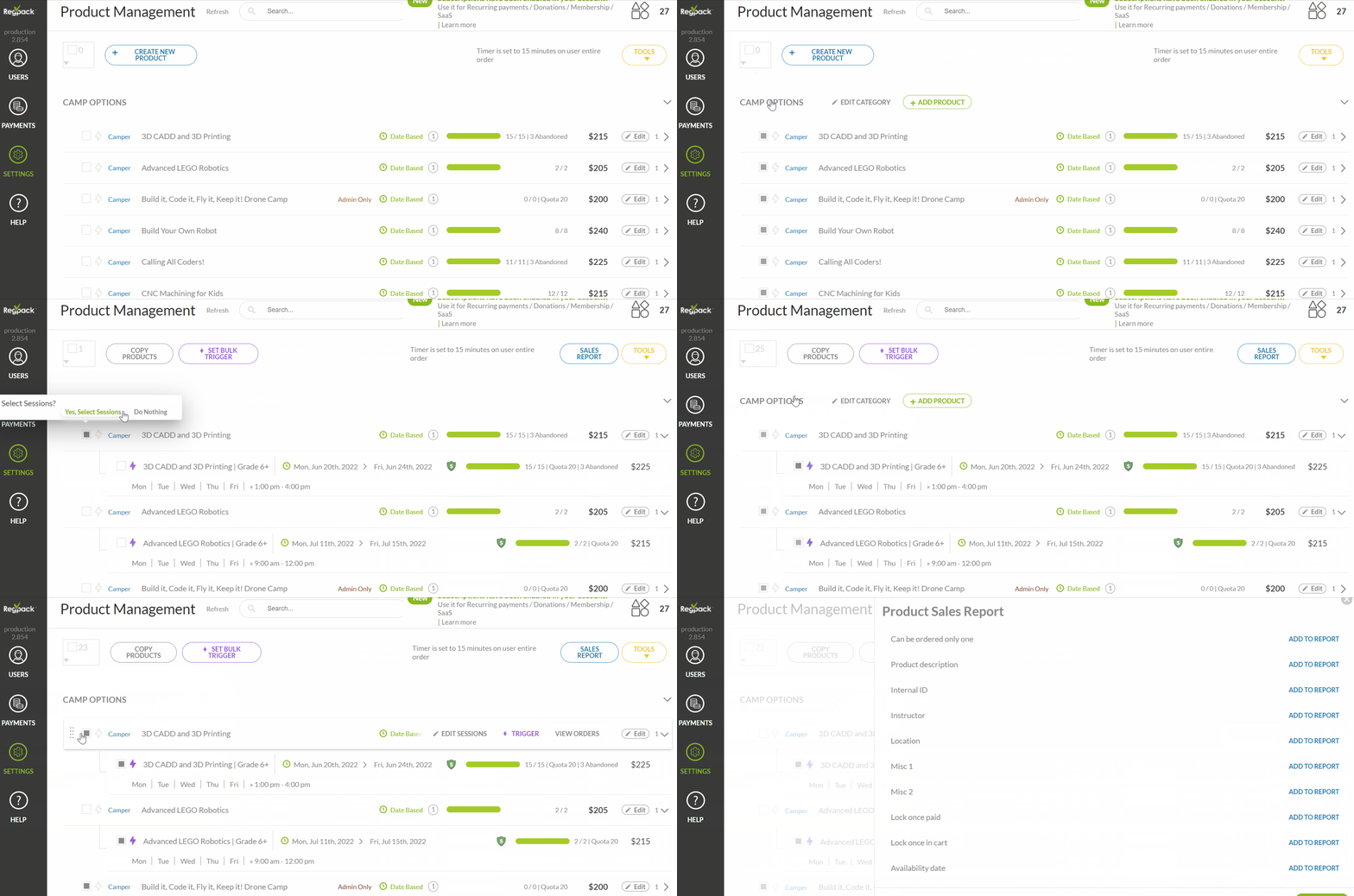
Go to Settings → Products → click the box to the left of the product(s) you'd like to report on → Sales Report → select the fields to include or remove from your report, and click Run Report or merge it with an existing User Report if you'd like to include additional information.
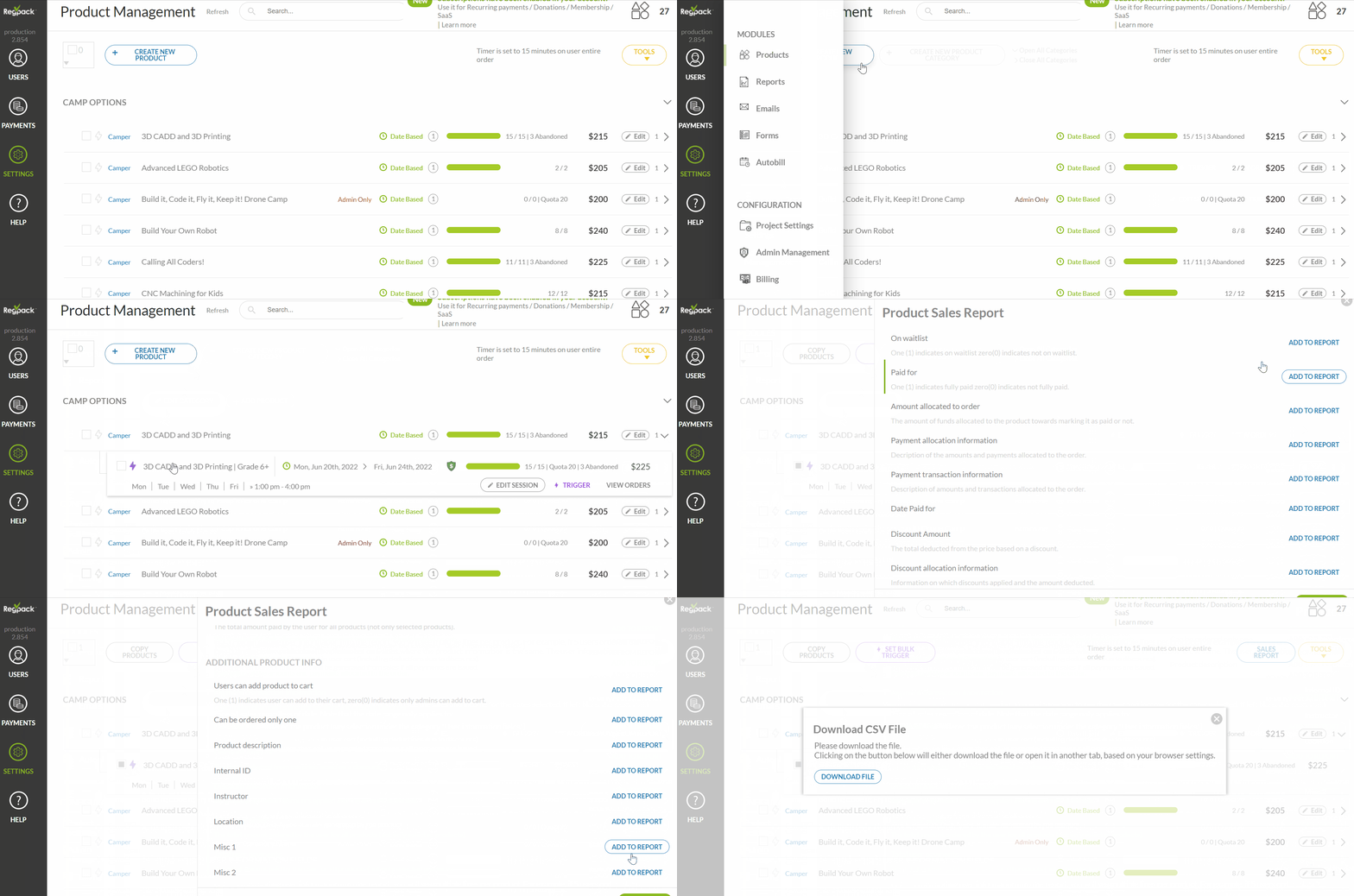
Note: For sessions, it's ideal to open the folder by clicking the arrow, then select the sessions and exclude the folder before running the sales report.
Note 2: You can select all products by clicking the box at the top of the page, full categories by clicking the category title, and sessions by clicking on the folder.