Form Management | Widgets
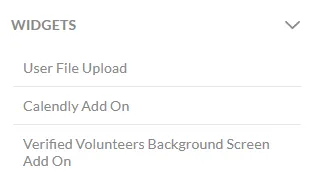
There are 3 options in the Forms module for widgets that can be added. These are:
- User File Upload
- Calendly Add On
- Verified Volunteers Background Screen Add On
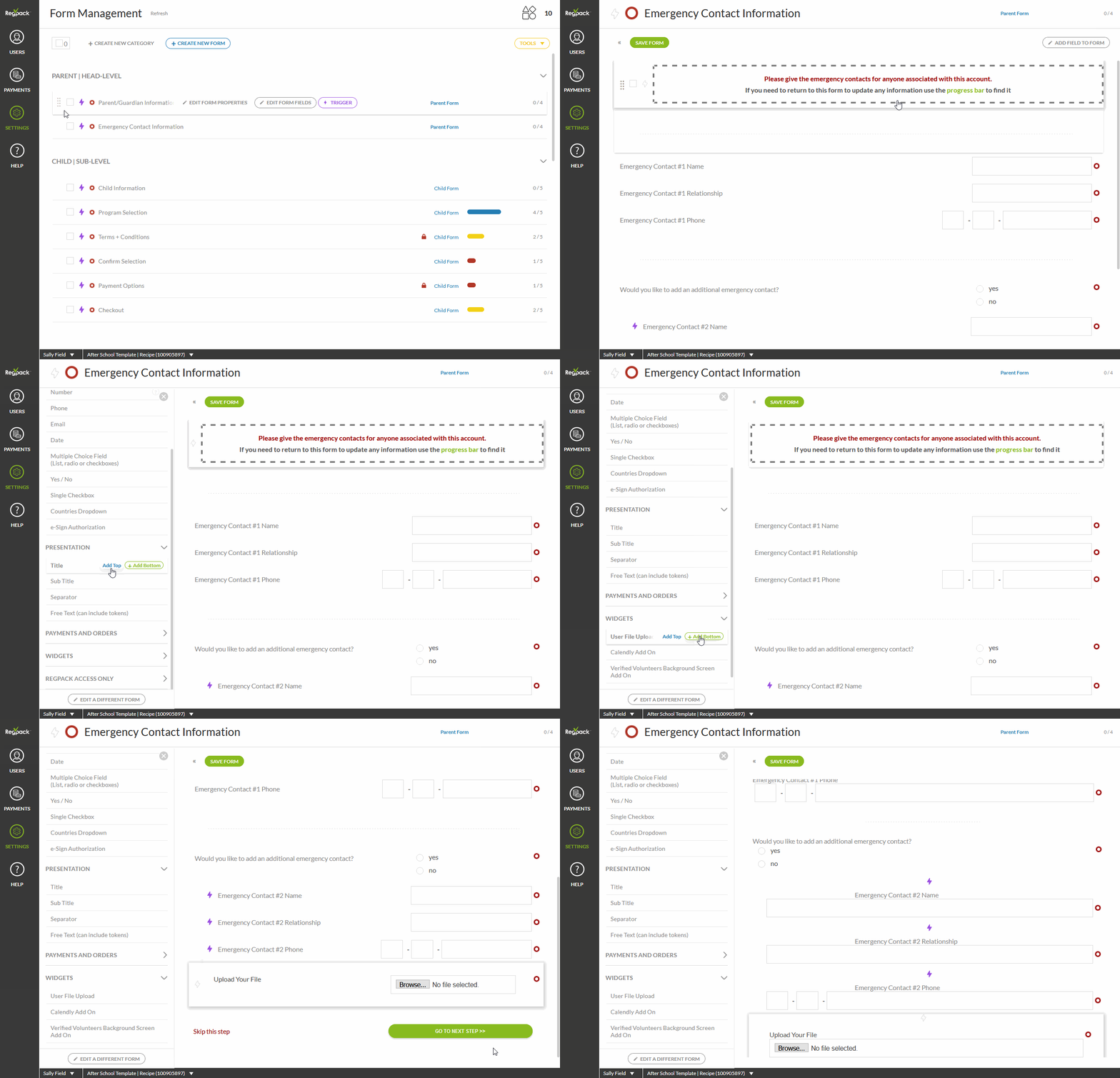
Add the upload widget to a form
Using our upload widget, you can provide an easy way for users to add files to any form.
Often, this function is utilized by admins when in need of a copy of a user’s health records, photos, or agreements physically signed by multiple parties (use our esignature tool if not!).
The system can accept many file types (PDF, DOCX, PNG, MP3, AVI, etc…) and sizes up to 10 Mb.
In the Form Management module, when editing a form, add a new field and select the upload widget. On the front-end, users will be able to upload document attachments.
What is Calendly?
Calendly helps you schedule meetings without the back-and-forth emails. It’s a convenient tool for coordinating meetings by connecting to your calendar or your team’s calendar. You can learn more about Calendly and set up a free account at https://calendly.com/.
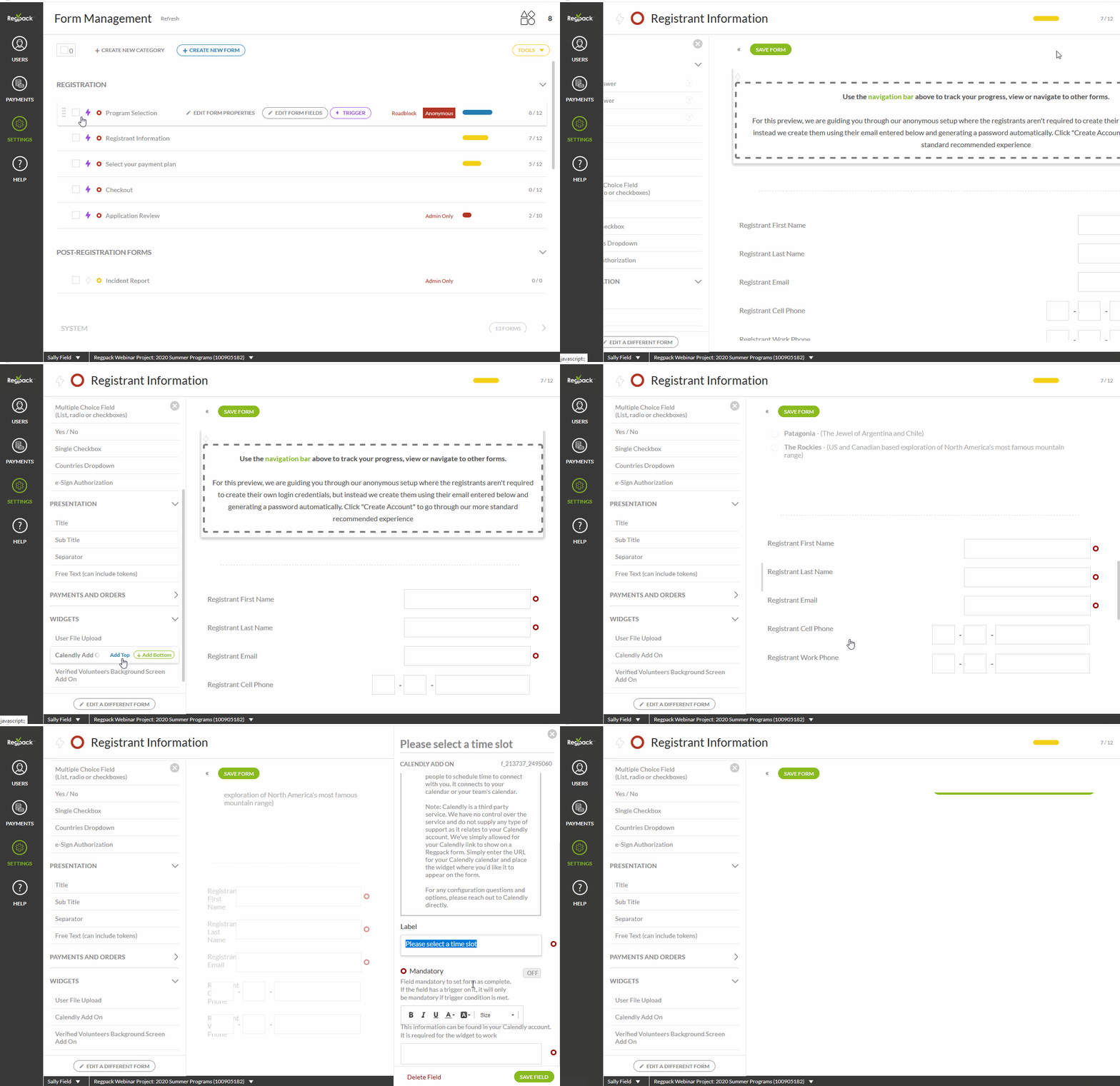
How to Add the Calendly Widget
- Navigate to Settings > Forms in your Regpack project.
- Hover over the form where you want to add the Calendly widget and click Edit Form Fields.
- In the field menu, find the Calendly Add-On under the Widgets section.
- Drag and drop the widget to your desired position within the form.
- Enter your Calendly URL and click Save Field.
Field Options
- Mandatory Field:* Toggle this option on or off to decide if the field must be completed for the form to be marked as complete.
- If the field is triggered by a condition, it will only be mandatory if the trigger condition is met.
- Calendly URL:* Enter the URL for your Calendly calendar in this field.
Important Notes
- Third-Party Service: Calendly is a third-party service. Regpack provides a way to display your Calendly link in a form but does not control or support Calendly services.
- Support for Calendly: For configuration questions or additional options, please reach out to Calendly directly.
Volunteers Background Screen Add On
The Regpack system is integrated with Verified Volunteers to run background checks if needed. The majority of this set up can be coordinated through your Verified Volunteers representative. We recommend that this widget only be added to forms that contain no other widgets.
Product Widget — Product Preview Form
The Product Widget can be used to create a Product Preview Form — a form that displays your product offerings to potential registrants before they create an account. This lets users browse what's available, sold out, or waitlisted upfront, which is a great way to generate interest and drive sign-ups.
How it works
By setting your first form to Anonymous, anyone can view and interact with it without logging in. When they submit the form, Regpack automatically creates a user account based on their email address.
Note: Every form submission creates an order. If quotas are critical to your project, be cautious with this setup — abandoned carts from anonymous users can consume quota slots.
Setup
1. Navigate to Settings → Forms.
2. Set your first form to Anonymous. Hover over your first form and click Edit Form Properties. Scroll to the bottom and toggle Anonymous to On.
3. Add a mandatory Email field. Place an Email field at the top of the form and set it to mandatory. This ensures a user ID is created and you can follow up with the registrant.
4. Enable Roadblock on the form. In Edit Form Properties, turn Roadblock on. This prevents users from proceeding until the form is completed, ensuring their email is always captured.
5. Add the Product Widget to the form. In Edit Form Fields, drag the Product Widget into the form. Users will see your available products, including any sold out or waitlisted items.
6. Check your triggers. If any products are triggered based on field responses, make sure those fields are included on this form — otherwise products may not appear.
7. Set up a follow-up email. Trigger a confirmation email to send after form submission. Include the Username and Auto Generated Password tokens and a link back to your registration system so users can return and complete registration.
For more on anonymous forms, see Anonymous Forms and Anonymous System. For help setting up triggered emails, see Create and Trigger a New Email.