Download a User's Application
Download an Application Form for One or Multiple Users
If your application process includes users uploading documents into their application, Regpack makes it easy to export this content from your admin dashboard.
It's possible to download the uploaded content for multiple users all at once. You can filter for specific users to group these downloads together for even more organization.
To begin, navigate to the User Management interface by selecting the Users tab.
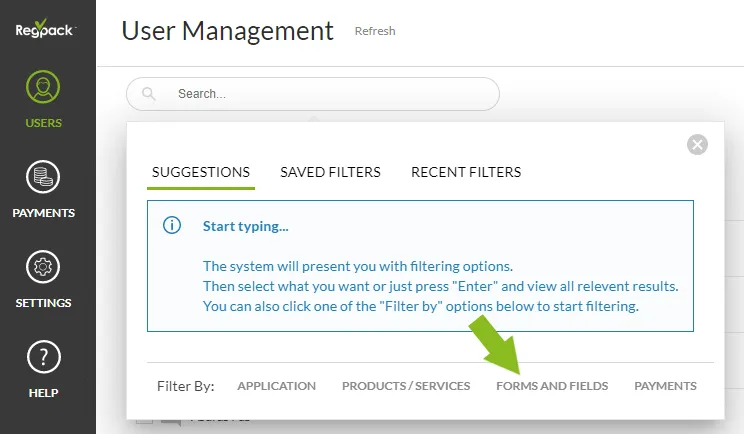
Filter for and select the users that have completed the specific forms which contain the upload widget (Filtering instructions found here). You can filter for any user or group of users you’d like. It may be helpful to filter by the completion of the form that the file upload field is on. This way you will only be viewing users who completed the mandatory fields on that form, including the file upload field, in order to avoid downloading blank files.
Click on the search bar in User Management to see the filter screen →Forms and Fields
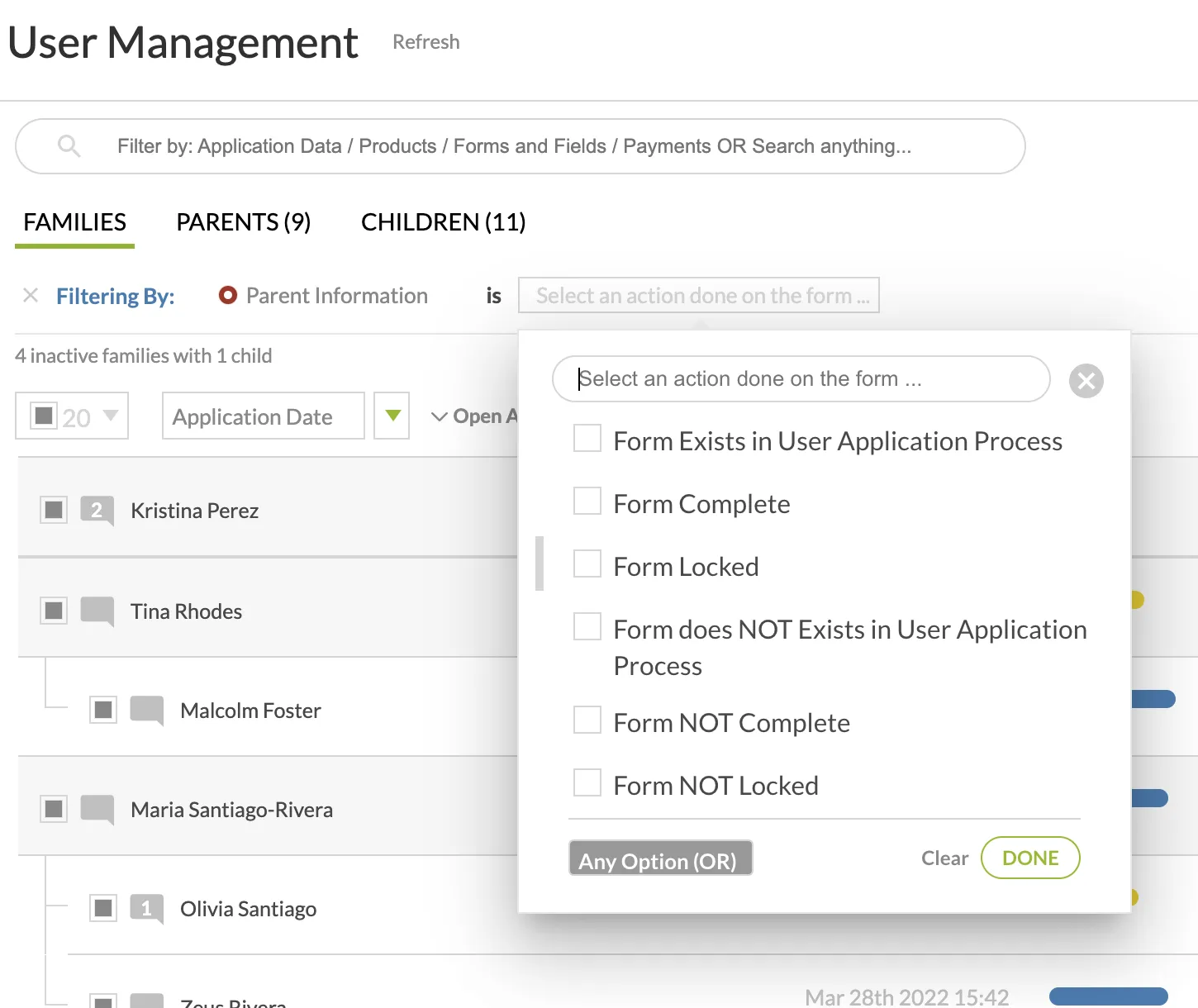
Click on the form → filter by the option that makes the most sense for your situation by clicking the box or boxes beside the condition.
Example of filtering:
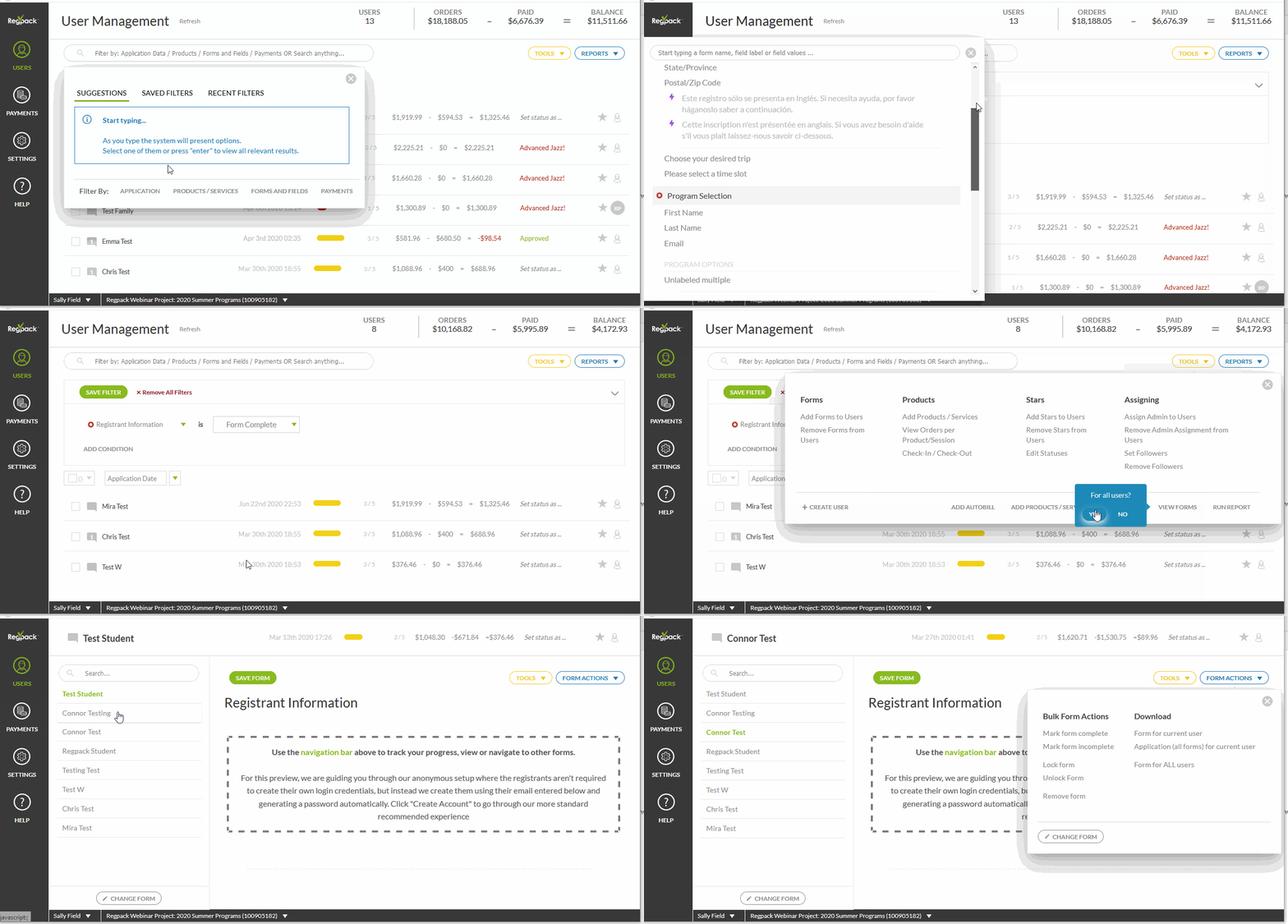
Now that you are only viewing the users that meet the conditions, select applicants by clicking on the square beside their name (or use the select all button to the left of Application Date) and click View Forms.
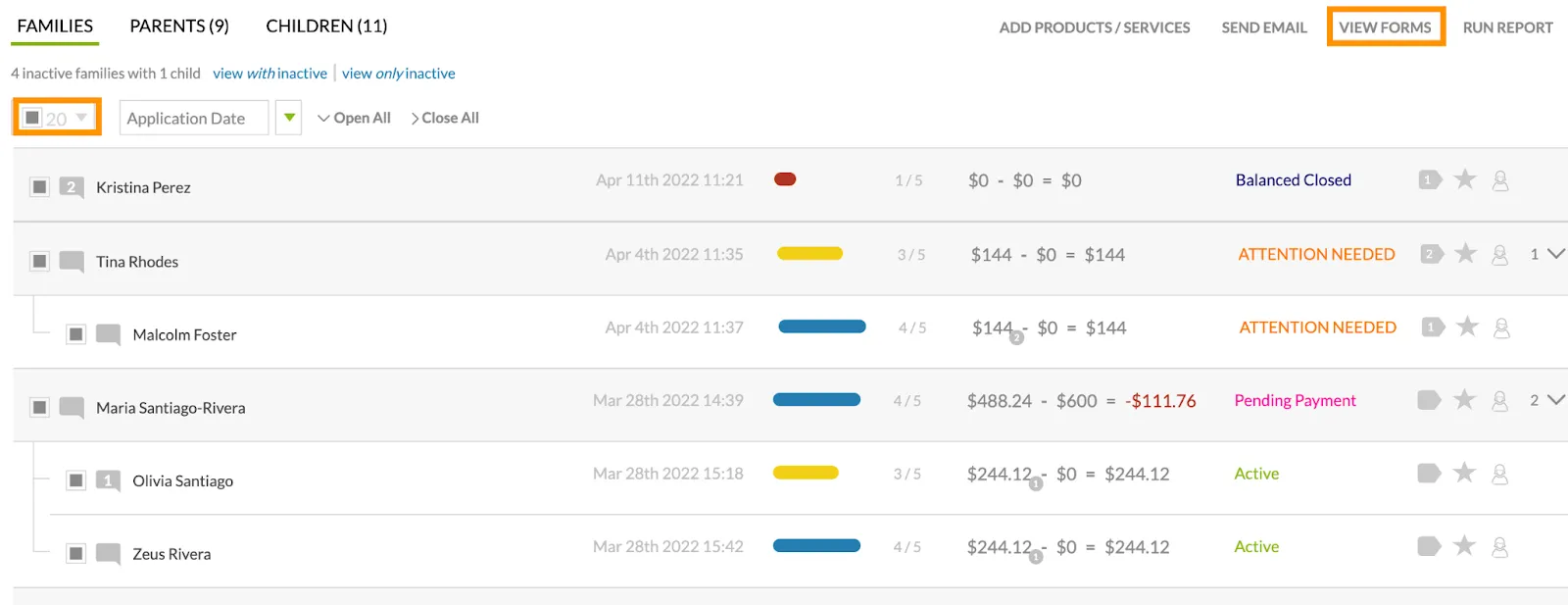
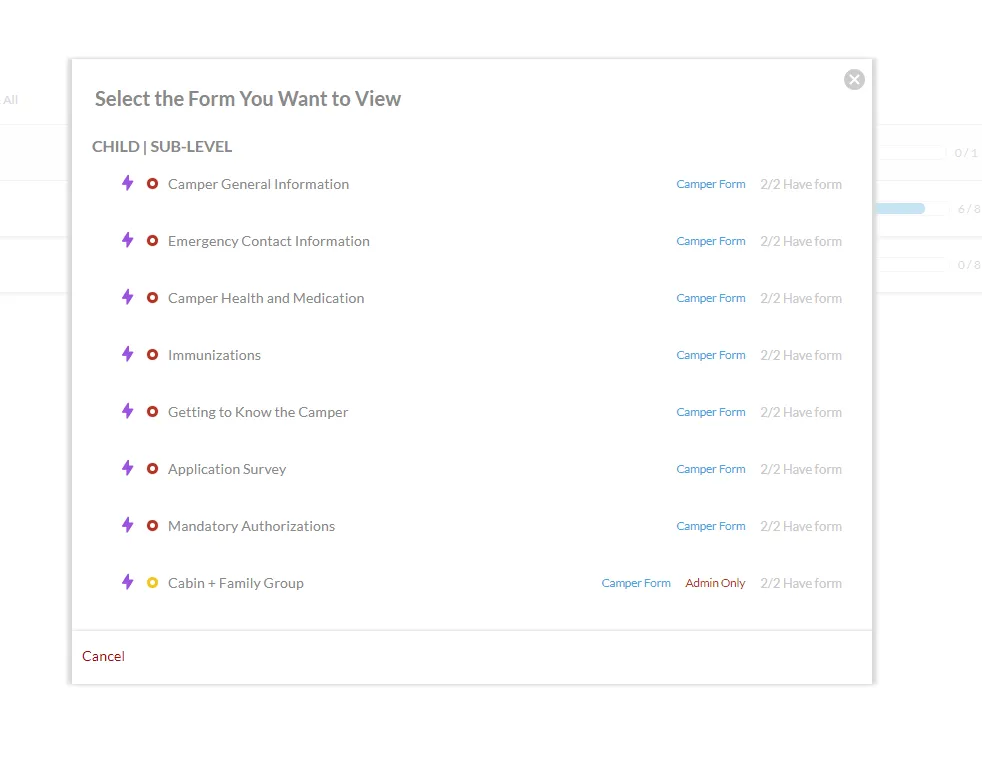
A list of all forms will appear in a separate menu. Simply select the form you would like to view (most likely the form you filtered for or the form that includes the upload widget).
Alternatively, you can click on the Forms tab for any user if you are looking to download content from 1 specific user:
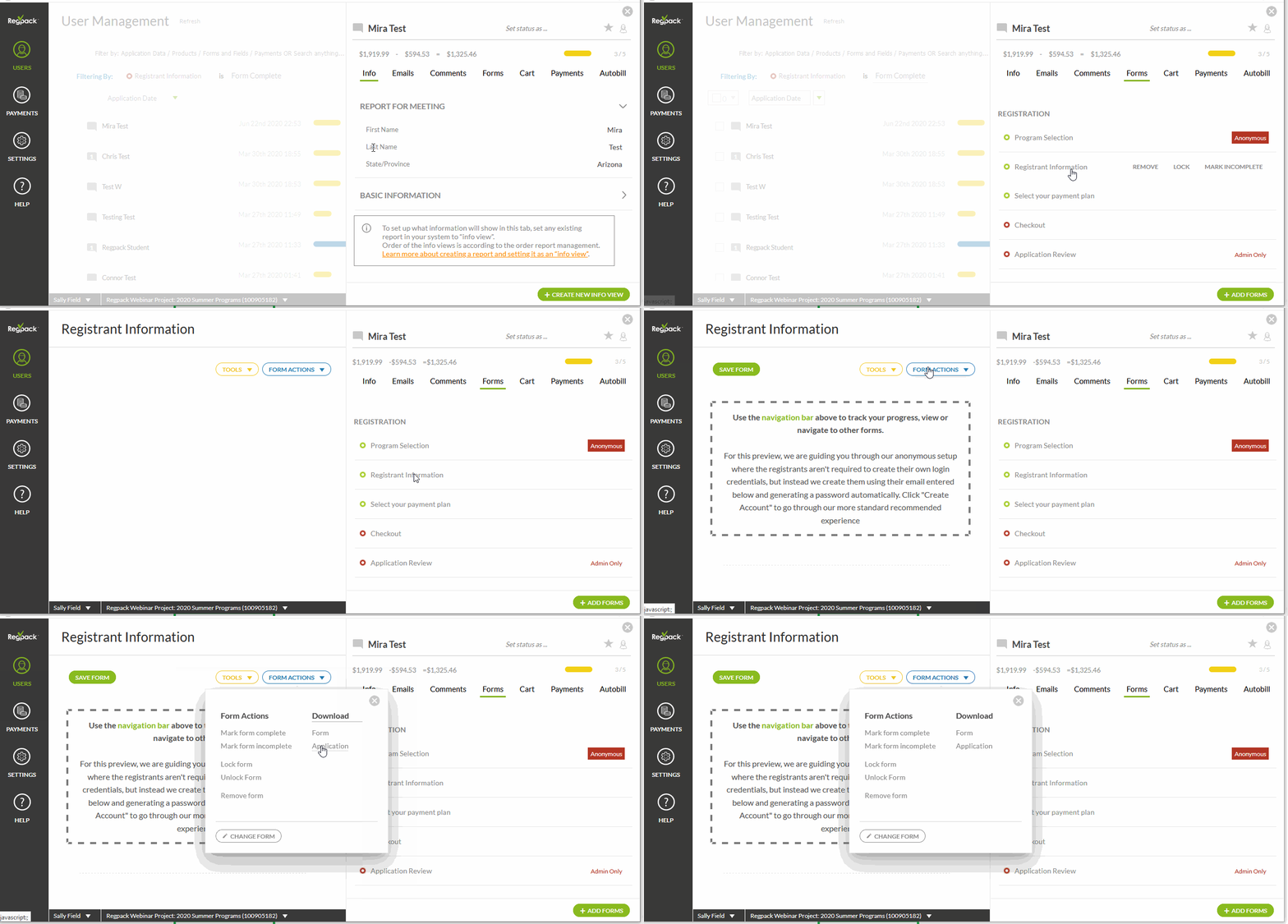
Click Form Actions in the top right, then select Download Form for All Users.
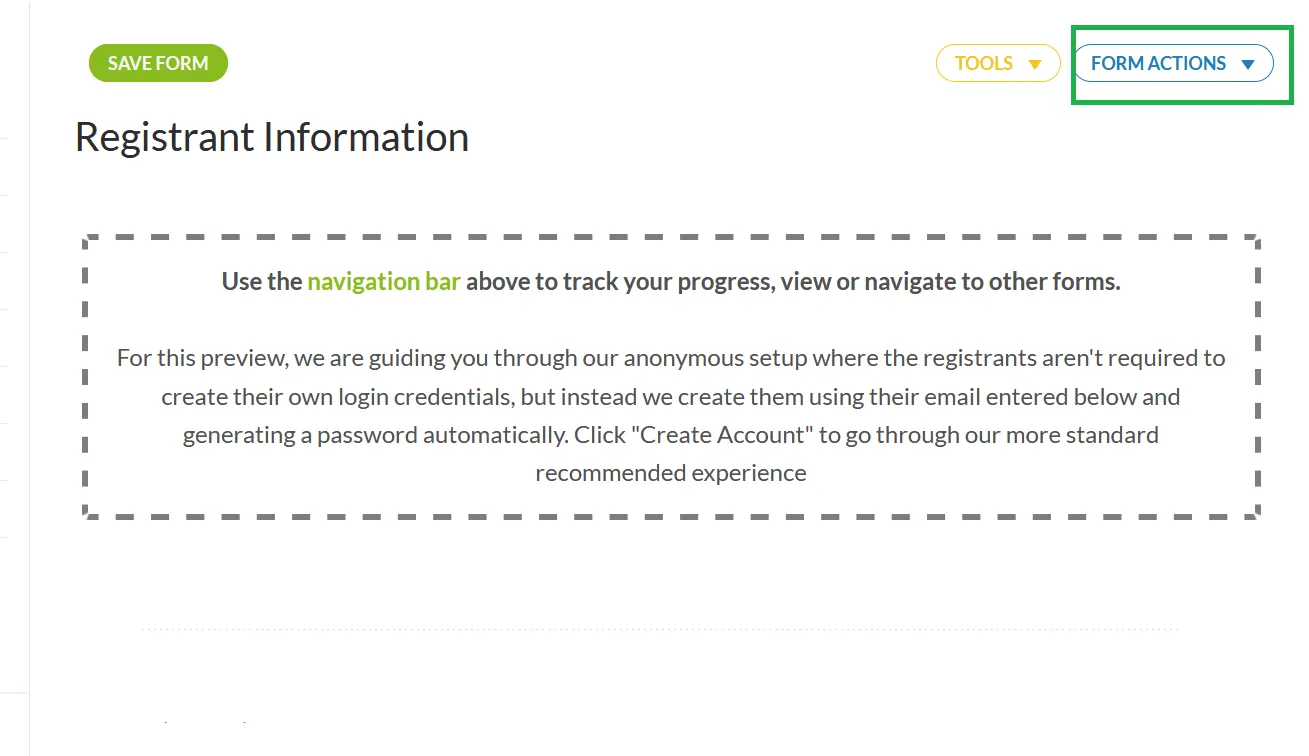
Select the option you’d like, either download the form for the current user you’re viewing, download ALL forms from the user you are viewing, or download THIS form for all users.
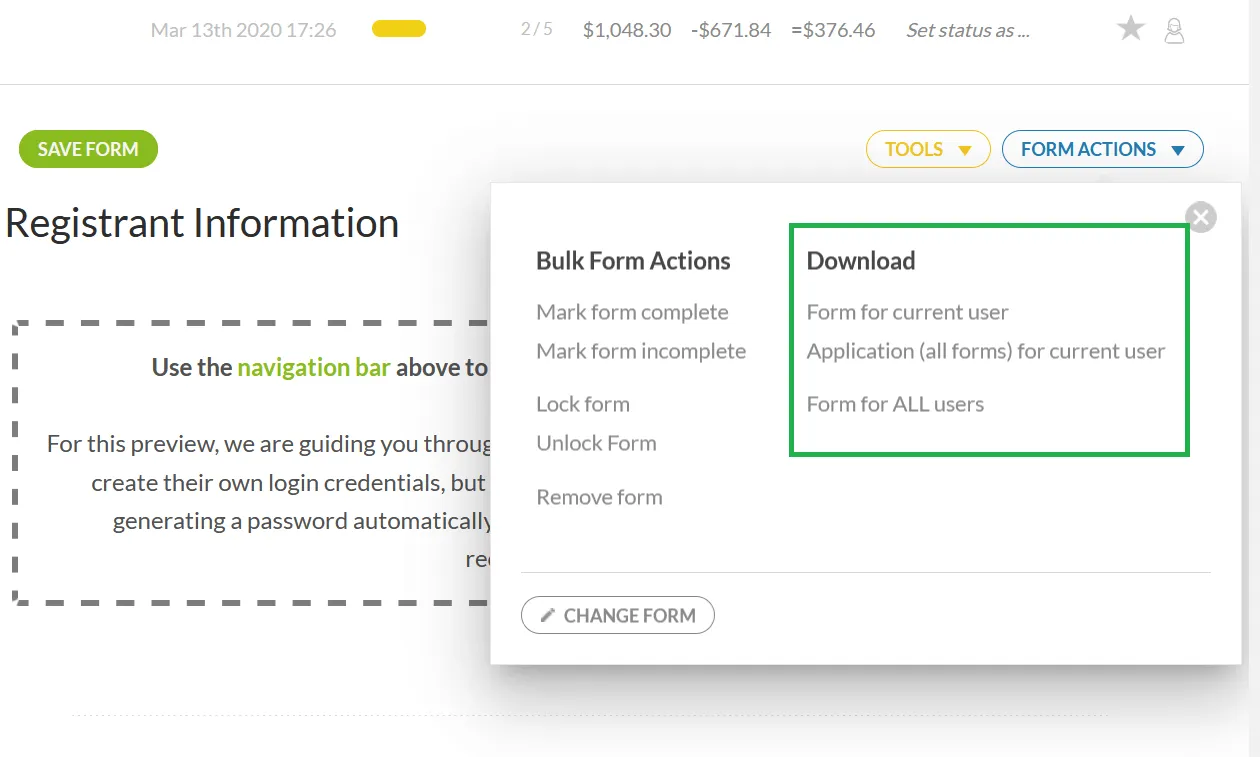
This will open a prompt to download the forms generated from your selection.
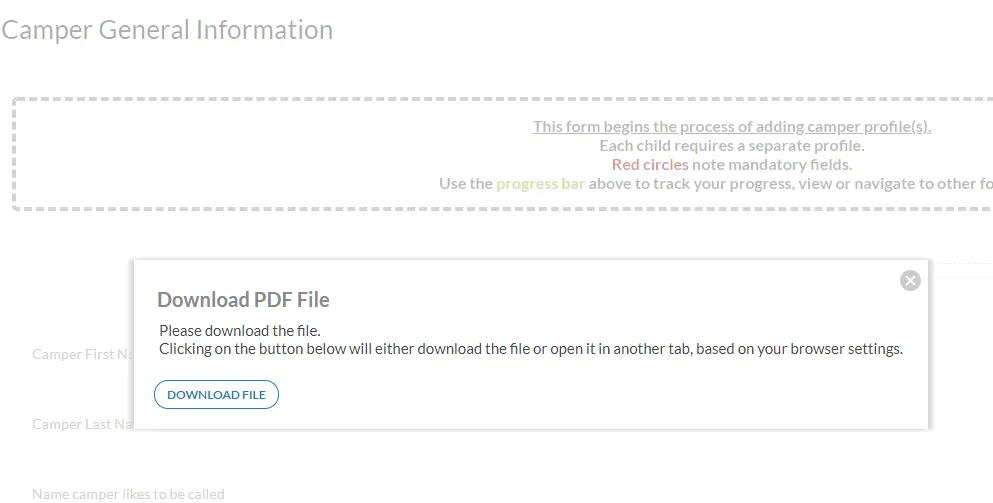
The file will open as a PDF file in a new tab on your browser. Now you can save the files to your desktop or other external hard drive and divide them if necessary.