Our new Payout Reporting feature provides detailed insights into your financial transactions, making payout management a breeze. Easily track which transactions have been transferred to your bank and their timing.
Log in to your Regpack account:
- Open your web browser and go to the Regpack login page.
- Enter your username and password, then click "Log In."
Navigate to the Payments Module:
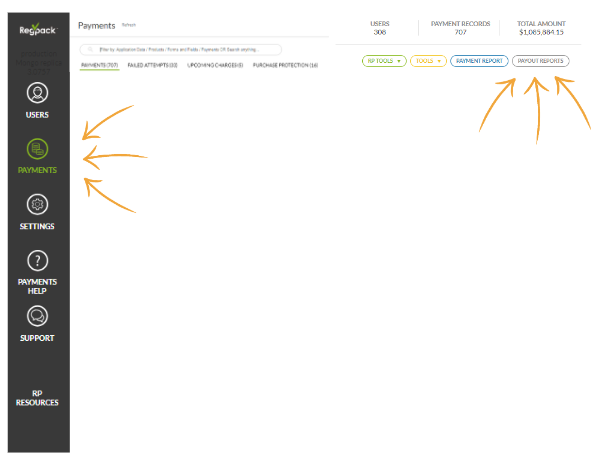
- In the left-hand navigation menu, click on the Payments module.
Select Payout Reporting:
- Within the Payments module, click on Payout Reports in the upper right corner of your screen.
Download the Report:
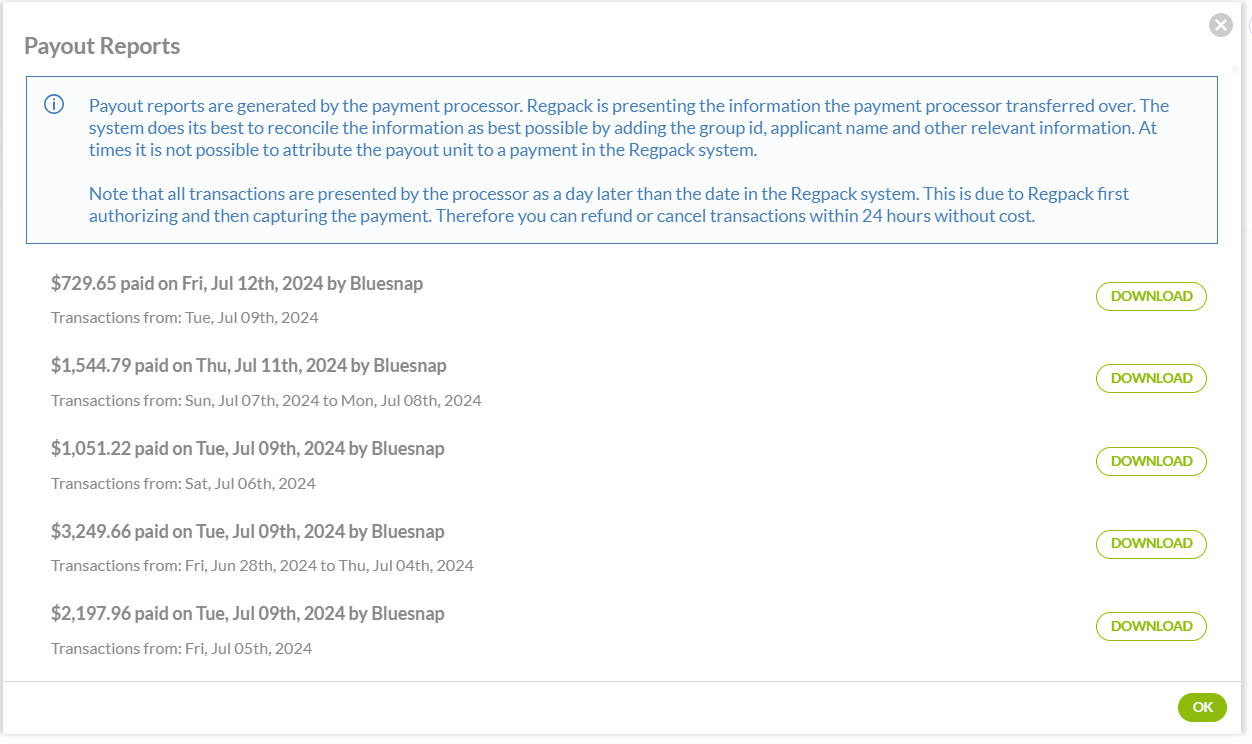
- Find the report date you are looking for and click the Download button to start downloading your report.
Review Details:
- Open the downloaded report to review all transaction details. The report includes valuable information like:
- Date
- ID numbers
- Amounts (gross, net & fees)
- Program name
- Payee name
Note: Only Admins marked as Owner will be able to have access to the Payout Report button